Back to Hub
Capstone Project

The Commission Report

Everything you've learned, in one real automation.

Picture this

You work in the finance team at Acme Electronics Corp., a company that makes consumer gadgets. Acme doesn't sell to customers directly. Instead, it ships through a network of regional distributors who resell the products in their own markets. Each month, your job is the same three steps: total up how much each distributor sold, look up the commission rate you owe them, and produce a personalized commission statement in Word with the numbers filled in. Twelve distributors, twelve documents.
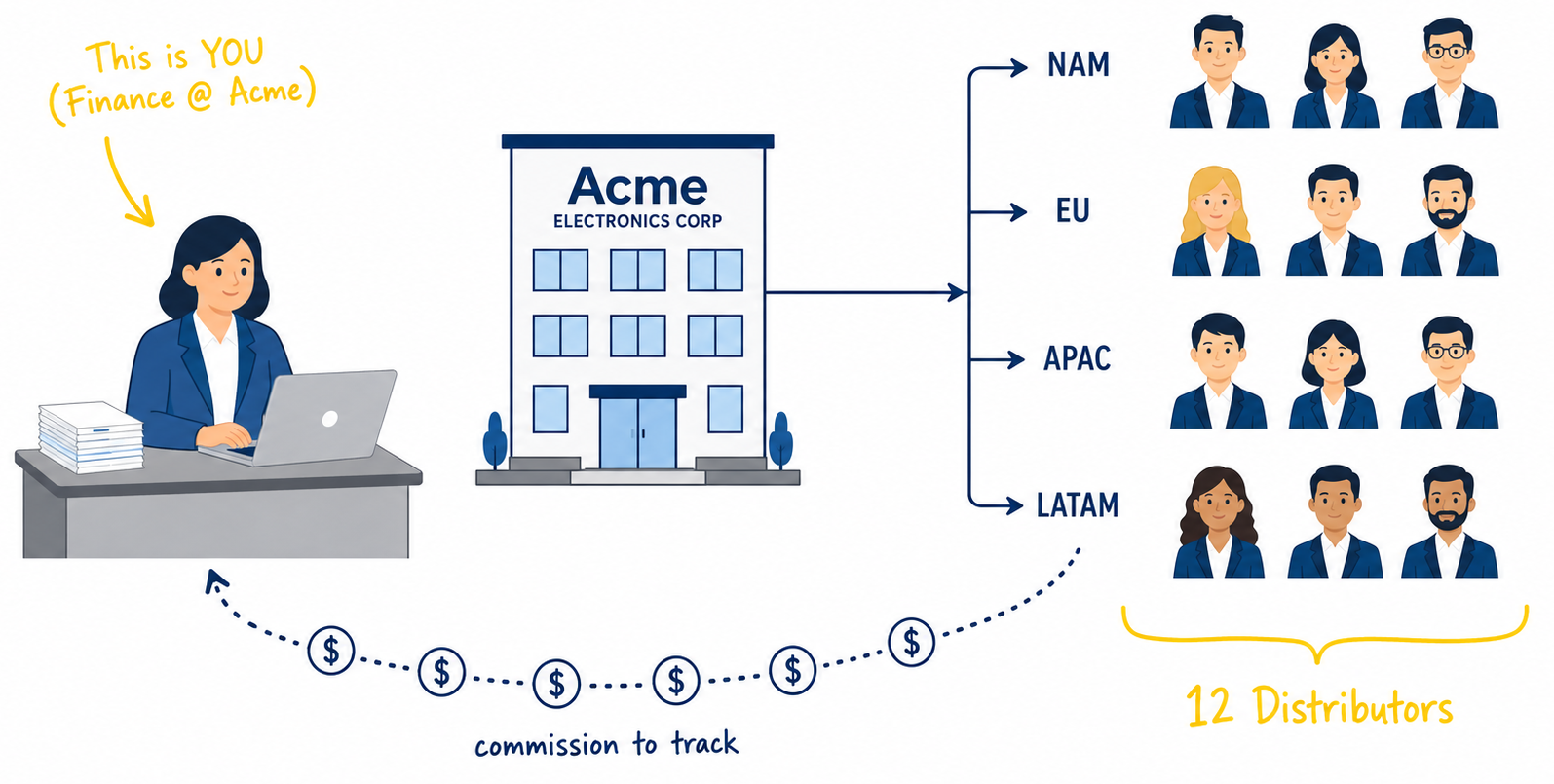
Example Continental Trade GmbH sold €18,085 in April. At today's rate of €1 = $1.08, that's $19,532 in USD. Apply their 9% commission, and they're owed $1,758. Now repeat for 11 more distributors, each in their own currency, and write a Word statement for each.
Acme to 12 distributors, grouped by region

Output 1 · Commission Statements (Word documents)

One personalized Word document per distributor. Twelve in total.
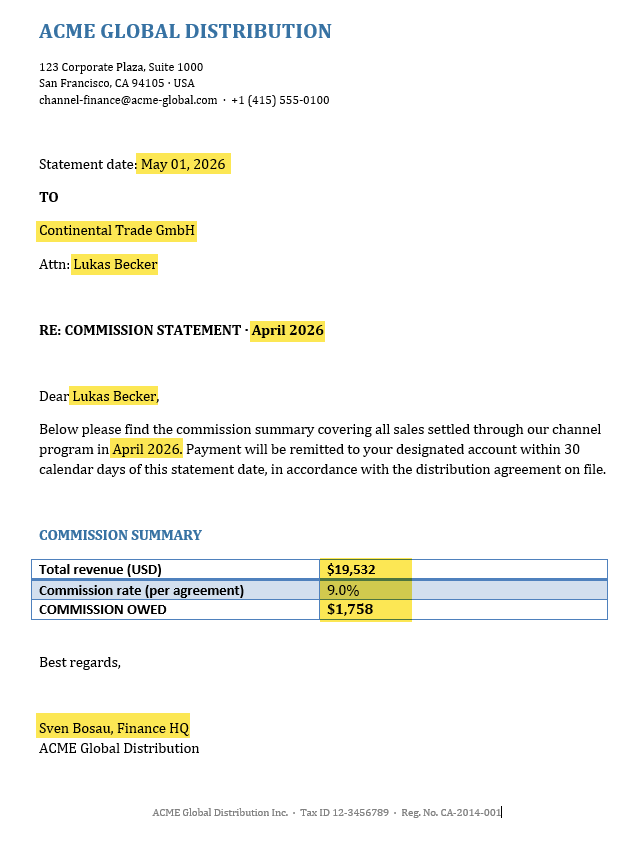
Commission Statement
Commission statement for Continental Trade GmbH, April 2026
× 12 distributors

Output 2 · The interactive chart

A chart for the finance director's monthly meeting.

Output 3 · The clean master Excel

One clean file for your records and the auditor.
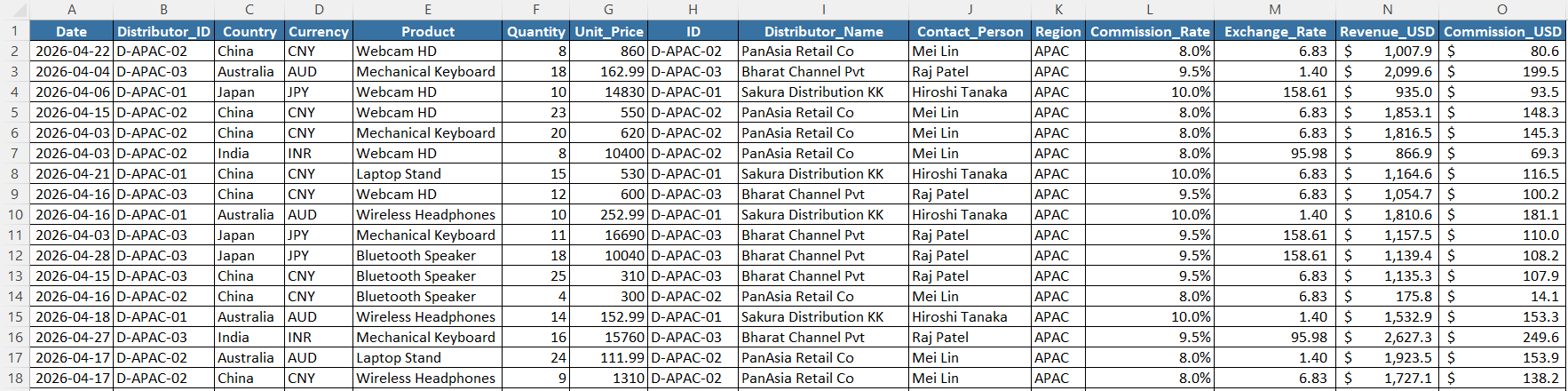
clean_sales_data.xlsx

outputs/clean_sales_data.xlsx

Manual · Every month, these files arrive

Four regional sales files, plus the master file that tells you what commission each distributor gets. Click any screenshot to enlarge.
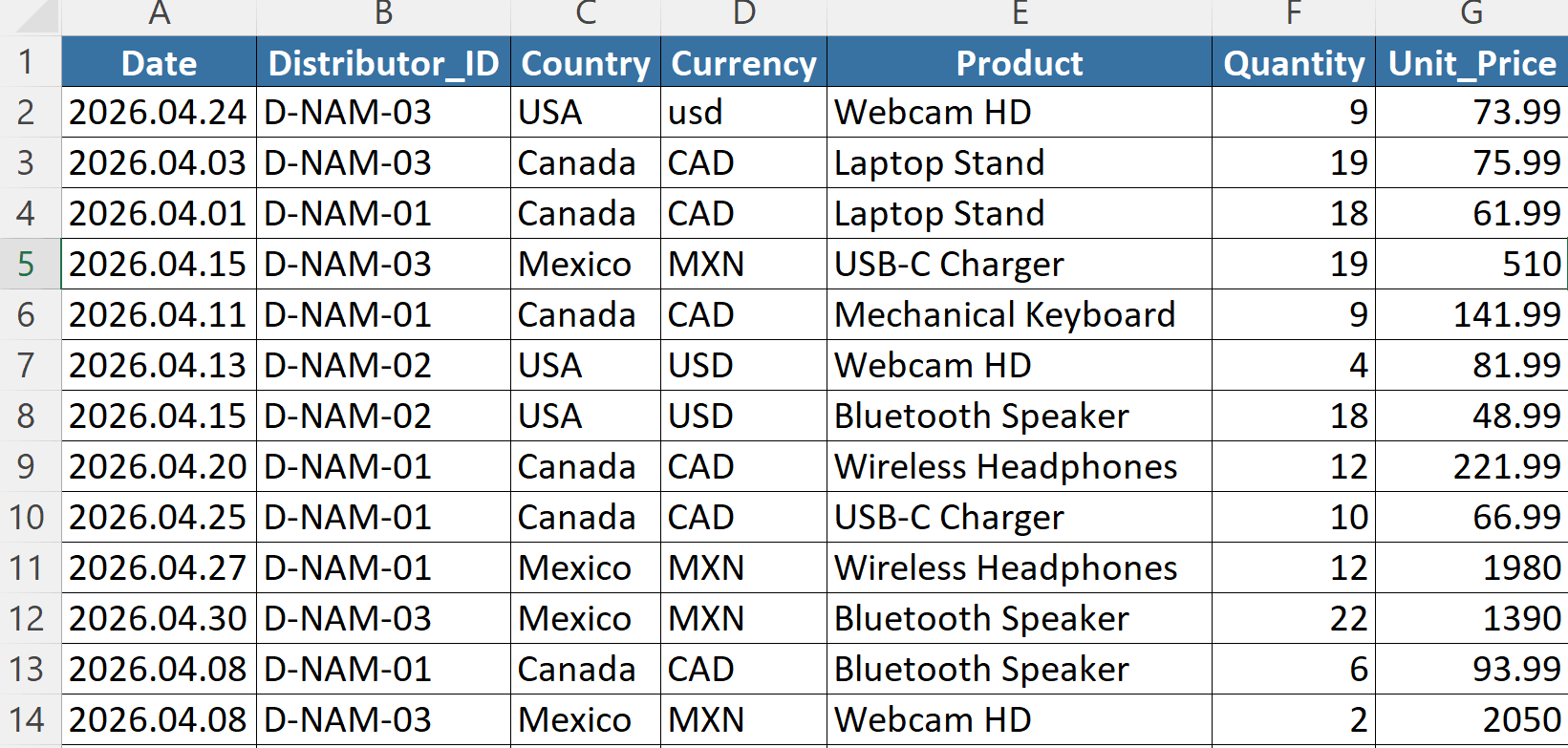
4 regional sales files (NAM, EU, APAC, LATAM)
sales_NAM.xlsx
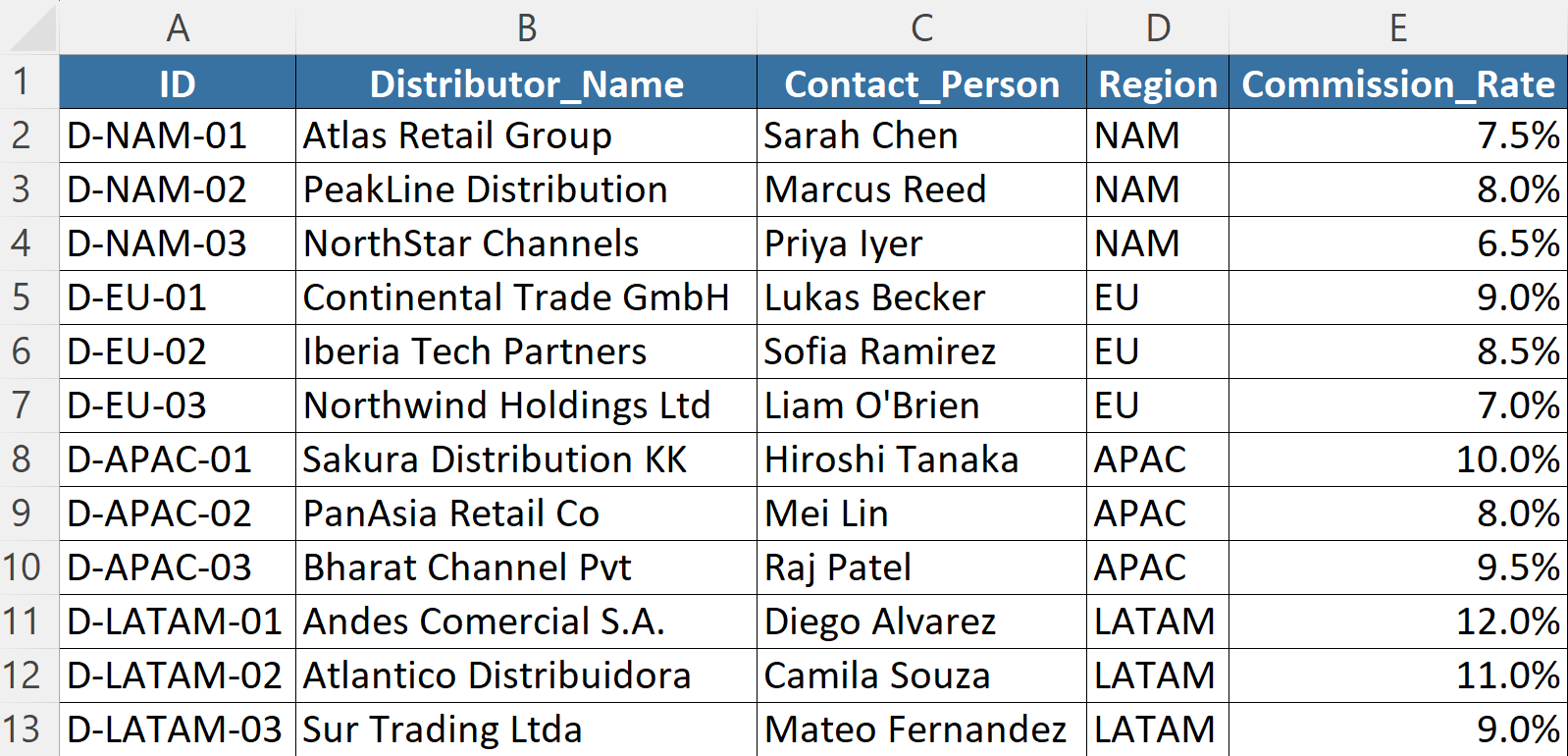
Distributor master with commission rates
distributors.xlsx

Manual · Your monthly to-do list

This is what you do by hand. Click any item to strike it off.

To do
  • Combine the 4 sales files into one table
  • Clean the data (typos, duplicates, dates)
  • Look up today's FX rates and convert every sale to USD
  • Merge with the distributor master (to pull commission rates)
  • Calculate the commission for every sale
  • Save a clean master Excel for your records
  • Sum the totals per distributor and build the chart
  • Type up a Word statement for each of the 12 distributors

Half a day of clicking. One typo can mean a wrong payout.

Automated · One click, all the outputs land

You'll work inside commission_report.xlsx. Pick the period and click Run.

Before
commission_report/
├──inputs/
│  ├──sales_NAM.xlsx
│  ├──sales_EU.xlsx
│  ├──sales_APAC.xlsx
│  ├──sales_LATAM.xlsx
│  └──distributors.xlsx
├──templates/
│  └──commission_statement_template.docx
└──commission_report.xlsxcode
Period
After
commission_report/
├──inputs/
│  ├──sales_NAM.xlsx
│  ├──sales_EU.xlsx
│  ├──sales_APAC.xlsx
│  ├──sales_LATAM.xlsx
│  └──distributors.xlsx
├──templates/
│  └──commission_statement_template.docx
├──outputs/
│  ├──clean_sales_data.xlsx
│  ├──commissions_chart.html
│  └──statements/
│     ├──Apr_2026_Andes Comercial S.A..docx
│     ├──Apr_2026_Atlantico Distribuidora.docx
│     ├──Apr_2026_Atlas Retail Group.docx
│     ├──Apr_2026_Bharat Channel Pvt.docx
│     ├──Apr_2026_Continental Trade GmbH.docx
│     ├──Apr_2026_Iberia Tech Partners.docx
│     ├──Apr_2026_NorthStar Channels.docx
│     ├──Apr_2026_Northwind Holdings Ltd.docx
│     ├──Apr_2026_PanAsia Retail Co.docx
│     ├──Apr_2026_PeakLine Distribution.docx
│     ├──Apr_2026_Sakura Distribution KK.docx
│     └──Apr_2026_Sur Trading Ltda.docx
└──commission_report.xlsxcode
Click anywhere or press Esc to close